




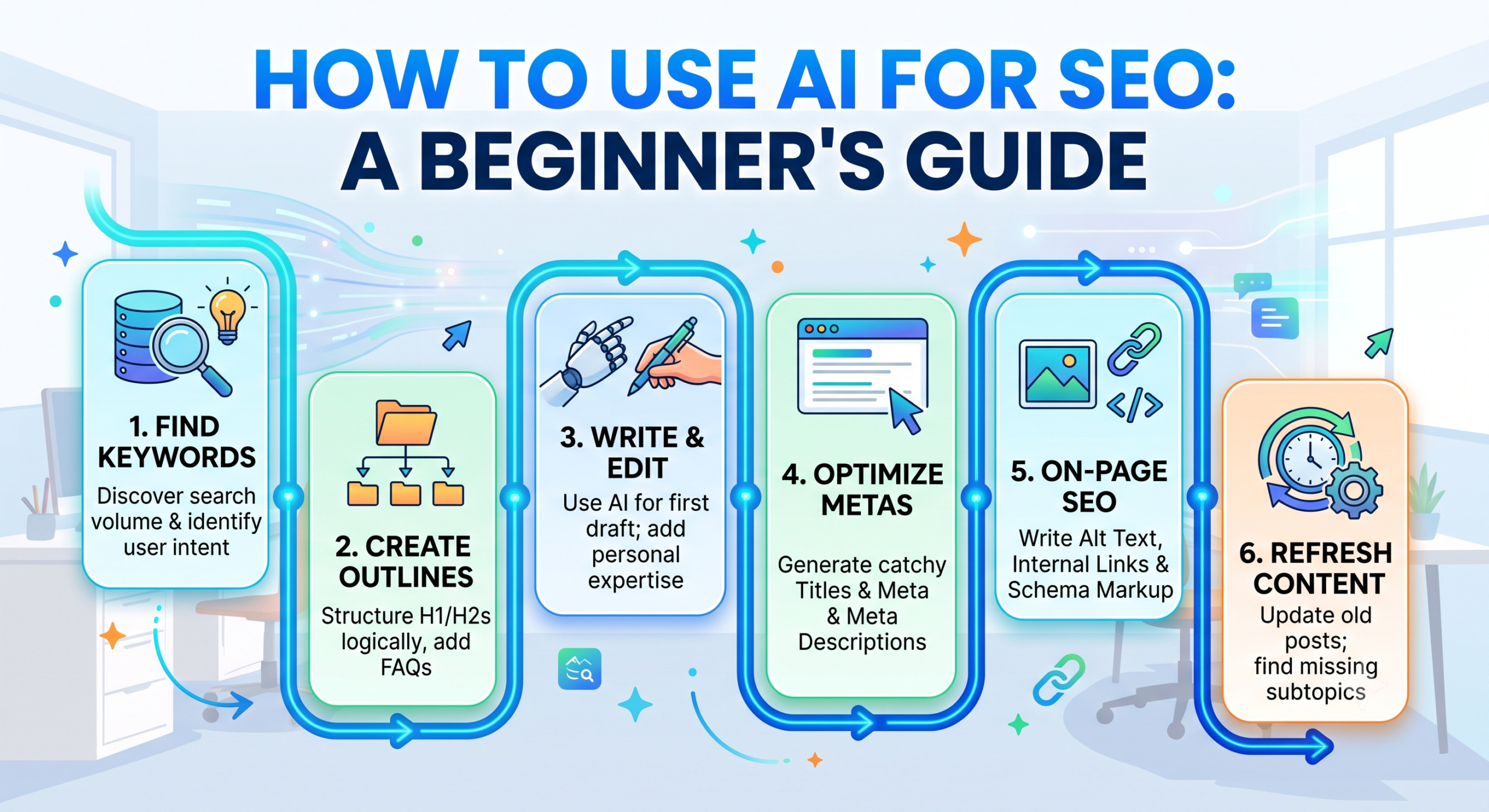
How to Use AI for SEO: A Simple Step-by-Step Guide for Beginners
Search Engine Optimization (SEO) used to take countless hours of manual work. You had to spend days finding keywords, studying competitor pages, building outlines, and fixing technical website errors.
With Artificial Intelligence (AI), you can complete many of these tasks in minutes.
AI does not replace human creativity, but it acts like a tireless assistant that helps you work faster and smarter. Here is an easy, practical guide on how to use AI to boost your search rankings.
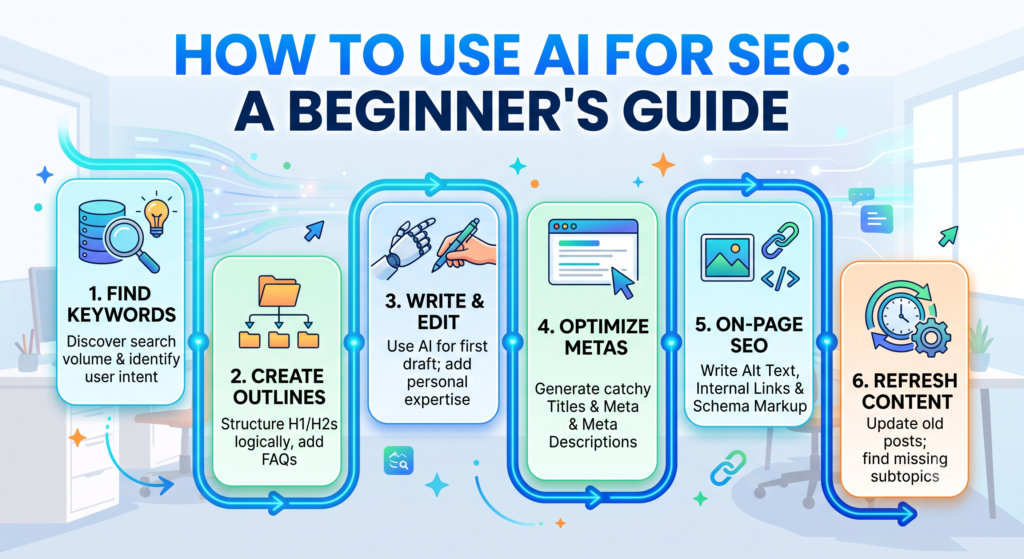
1. Finding Keyword Ideas and Search Intent
Keywords are the foundation of SEO. AI tools make it easy to uncover what your audience is searching for and why they are searching for it.
How to do it:
-
Brainstorm long-tail keywords: Ask an AI tool to suggest questions people frequently ask around your main topic.
-
Identify search intent: Prompt the AI to categorize keywords based on whether the searcher wants to learn something (informational), buy something (transactional), or compare products (commercial).
Example Prompt: > “Give me 10 low-competition, long-tail keyword ideas related to ‘indoor plant care for beginners’. For each keyword, explain the search intent behind it.”
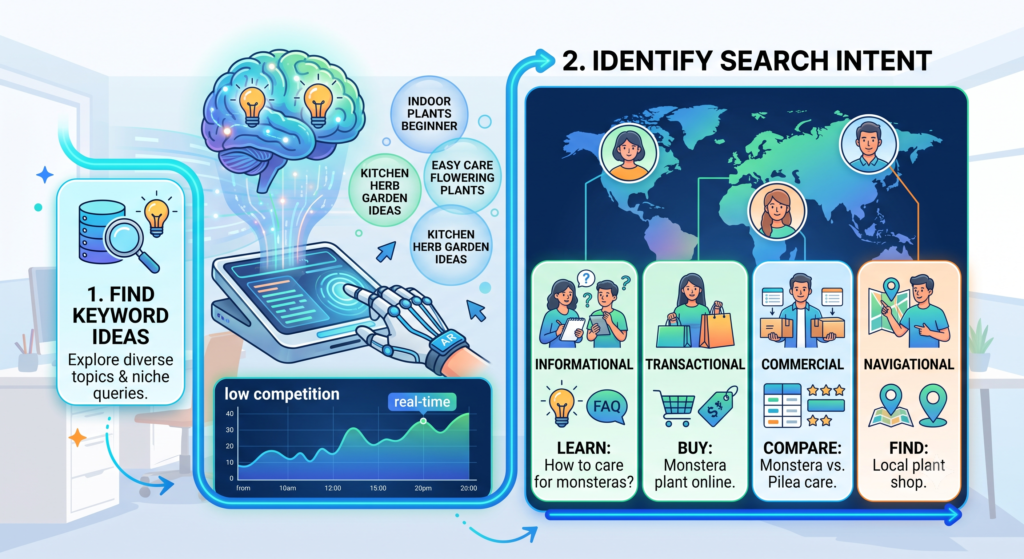
2. Creating High-Ranking Content Outlines
Google loves content that covers a topic thoroughly and answers questions logically. AI is great at analyzing top results and building a complete roadmap for your article.
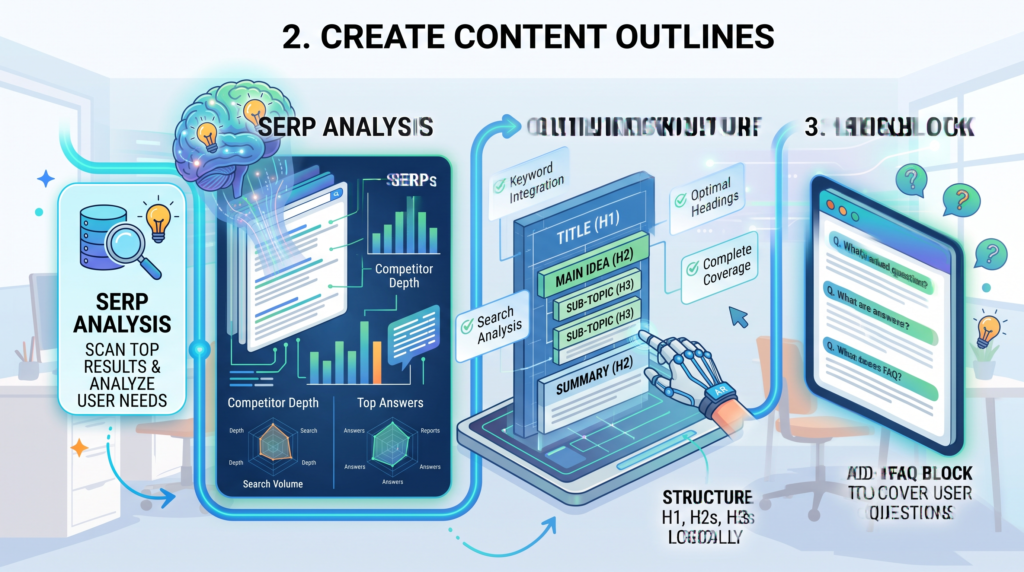
What to include in your outline:
-
A clear, catchy title (H1)
-
Logical subheadings (H2s and H3s)
-
Frequently Asked Questions (FAQs) based on Google’s “People Also Ask” section
Example Prompt: > “Create a detailed blog post outline for the topic ‘How to Save Money on Groceries’. Include H2 headings, bullet points under each section, and a 4-question FAQ section at the end.”
3. Writing and Refining Content (The Human + AI Approach)
Never publish raw, unedited AI content directly to your site. Search engines prioritize helpful, reliable information written for real people.
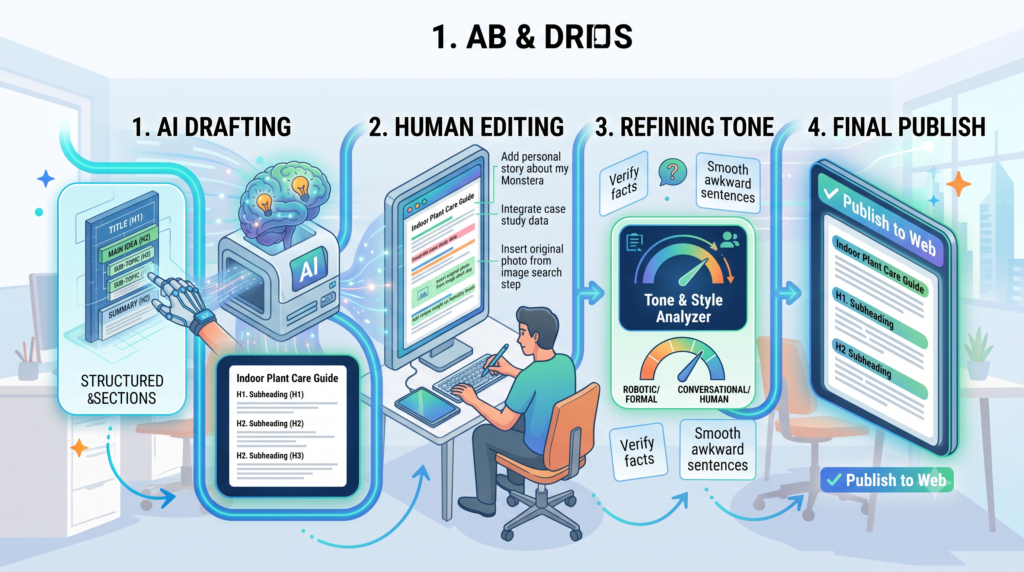
Best practice workflow:
-
Use AI for the first draft: Let AI generate rough paragraphs, bullet points, or introductory hooks.
-
Add personal experience: Include real examples, case studies, personal tips, and original opinions.
-
Check facts and tone: Verify all data, statistics, and claims. Rewrite awkward sentences so the post sounds like a genuine conversation.
4. Writing Click-Worthy Titles and Meta Descriptions

Your title tag and meta description are the first things people see in search engine results. AI can generate dozens of compelling options in seconds.
Quick tips:
-
Title tags: Keep them under 60 characters and place your main keyword near the front.
-
Meta descriptions: Keep them under 155–160 characters with a clear reason for the reader to click.
Example Prompt: > “Generate 5 catchy SEO title tags (under 60 characters) and 3 meta descriptions (under 155 characters) for a blog post about ‘Easy Home Workout Routines for Beginners’. Target keyword: home workout for beginners.”
5. Improving On-Page and Technical SEO
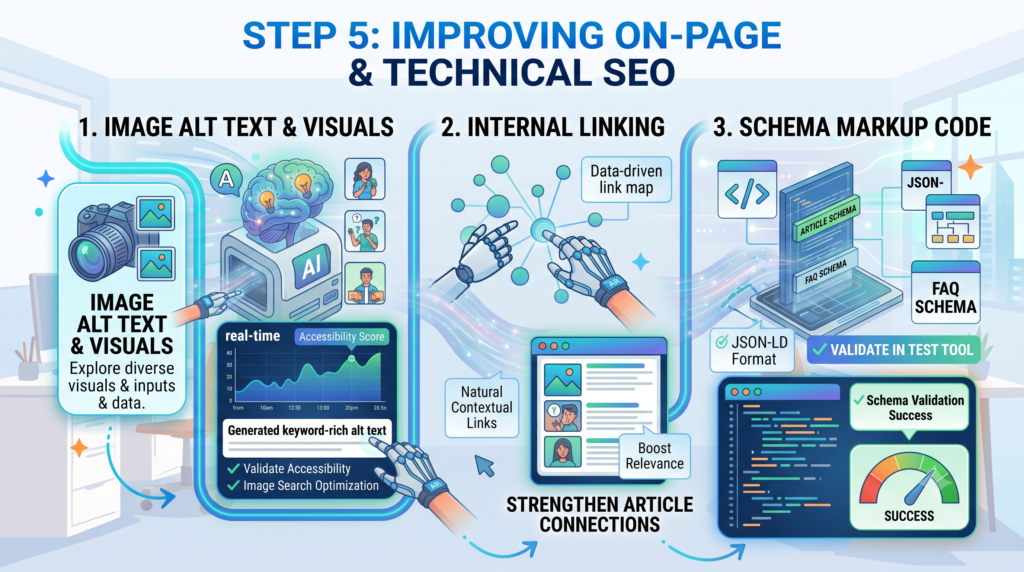
AI isn’t just for writing; it also helps with on-page optimization:
-
Image Alt Text: Upload images into vision-capable AI tools or prompt them to write descriptive, keyword-friendly alt tags for accessibility and image search.
-
Internal Linking Suggestions: Paste excerpts of related articles and ask the AI where natural cross-links can be placed.
-
Schema Markup: Generate FAQ Schema or Article Schema in JSON-LD format without writing code manually.
Example Prompt: > “Generate valid JSON-LD FAQ Schema markup for the following 3 questions and answers: [Paste your FAQs here].”
6. Refreshing and Updating Old Content
Updating old blog posts is one of the fastest ways to regain lost search traffic.
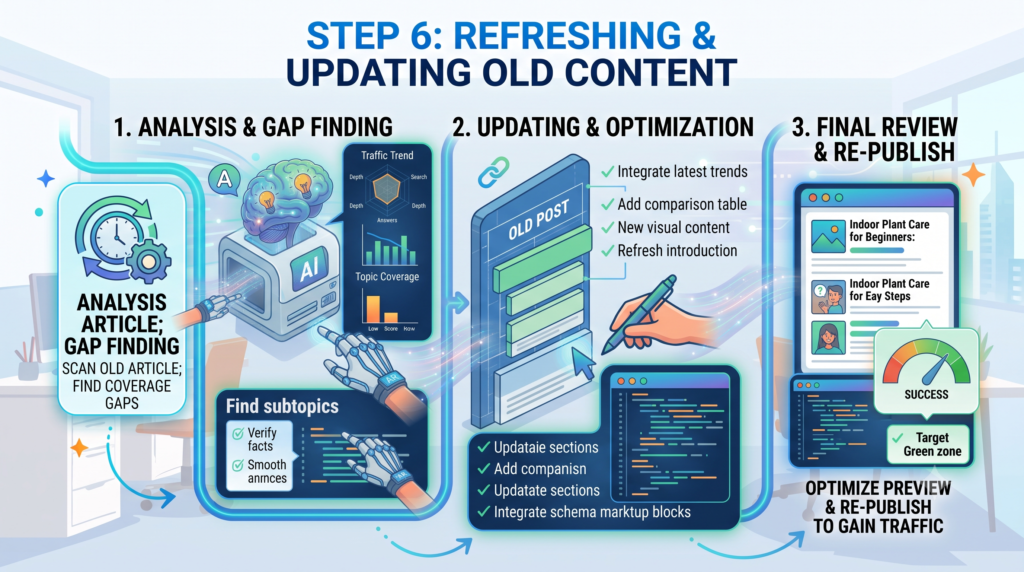
How AI helps:
-
Paste an older article into an AI tool and ask: “What important updates, subtopics, or recent trends are missing from this guide?”
-
Have AI rewrite outdated introductions or reformat dense text into scannable lists and comparison tables.
Quick Comparison: What AI Can Do vs. What Needs a Human
TaskWhat AI Does BestWhat You Must DoKeyword ResearchBrainstorming topics, clustering keywordsSelecting realistic target terms for your domainDraftingOvercoming writer’s block, structuring paragraphsAdding personal stories, brand voice, and examplesOptimizationFormatting meta tags, creating schema codeFact-checking data and ensuring true user value
Conclusion: Finding the Right Balance
Artificial Intelligence has fundamentally changed the SEO landscape, making keyword research, outlining, and content optimization faster than ever. However, the true secret to ranking on Google isn’t relying entirely on automated output—it’s combining AI efficiency with human authenticity.
Search engines reward content that genuinely helps readers, answers their questions clearly, and provides real value. Use AI as your research assistant to handle repetitive tasks, but always keep your unique voice, insights, and personal expertise at the center of your work.
Start small: pick one blog post this week, use an AI tool to refine your headings or optimize your meta descriptions, and watch your organic workflow transform!
Frequently Asked Questions (FAQs)
1. Does Google penalize AI-generated content?
No, Google does not automatically penalize content simply because it was created using AI. Google’s search guidelines focus on content quality, helpfulness, and user value (E-E-A-T: Experience, Expertise, Authoritativeness, and Trustworthiness) rather than how the content was produced. However, low-quality, spammy, or inaccurate AI content that provides no real value will struggle to rank.
2. Can AI completely replace an SEO specialist or content writer?
No. While AI can automate repetitive tasks like keyword grouping, outlining, and writing initial drafts, it cannot replace:
-
Real-world human experiences and case studies.
-
Deep strategic business insights.
-
Fact-checking, original brand tone, and emotional connection.
AI acts as a powerful co-pilot, but human oversight is essential for top-tier results.
3. Which AI tools are best for beginners starting with SEO?
-
For General Content, Outlining & Ideation: ChatGPT, Claude, or Google Gemini.
-
For Dedicated SEO Content Optimization: Surfer SEO, Frase, or NeuronWriter.
-
For Keyword Research & Backlink Insights: Semrush or Ahrefs (with built-in AI features).
4. How can I ensure my AI-assisted content ranks well on Google?
To get the best rankings:
-
Edit and refine: Never publish raw AI outputs directly without manual review.
-
Add unique insights: Include screenshots, personal tips, original examples, or data points.
-
Match search intent: Make sure your article directly and quickly answers the searcher’s core query.
-
Optimize on-page elements: Ensure clean URL structures, fast loading speeds, proper header hierarchy (H1, H2, H3), and clear meta tags.
5. Can I use AI to generate Technical SEO code like Schema Markup?
Yes! AI is exceptionally good at writing clean code snippets such as JSON-LD Schema Markup (FAQ schema, How-To schema, Article schema), .htaccess redirect rules, and robots.txt configurations. Always test generated schema in Google’s Rich Results Test tool before adding it to your live site.


